

November 17, 2026
One AI agent for your entire workplace (Beta)
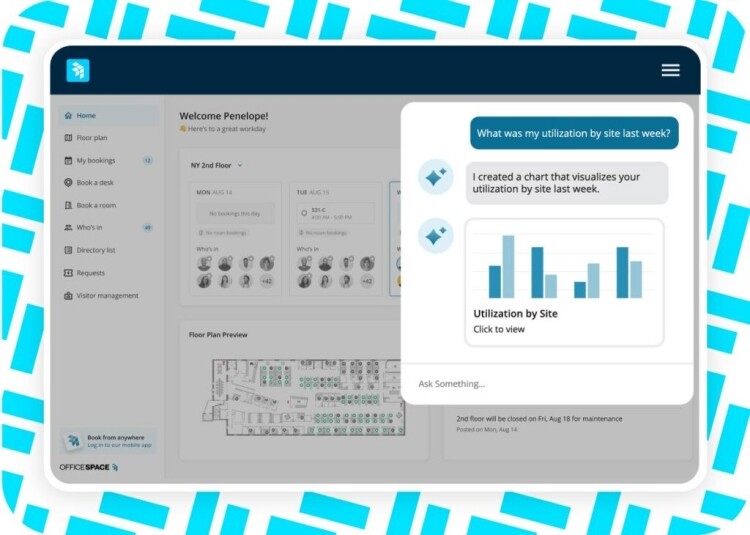
Workplace management is now as easy as a conversation. Ask the OfficeSpace AI agent a question or hand it a task in plain language, from any page, and get the answer or the finished work back. Book desks and rooms, get portfolio insights, move teams, route requests, and update leases, all from one agent that lives in the corner of every screen.
How it works
- Open the agent from any page. Click AI Agent in the top right. It opens as a side panel, so the floor plan or report you’re working on stays in view. Expand it to full screen when the work gets bigger.
- Ask in your own words. Type it or say it. Voice mode lets you ask hands-free, from anywhere. “Book me a desk near my team for this morning.”
- Review and confirm. Before the agent changes anything, it tells you exactly what it’s about to do and waits for your OK.
- Take it to the AI tool you already use. Connect OfficeSpace to Claude or ChatGPT and ask the same way you do in OfficeSpace.
The agent works as you. Your roles, site permissions, booking rules, and approvals apply exactly as they do in OfficeSpace today.
One agent for every role in your workplace

For employees: Describe the space you need; the agent completes your booking
Ask for a desk near your team or a room for six instead of scanning the floor. OfficeSpace checks availability, you confirm, and the agent books it.
“Book me a desk near my teammate on Thursday.”
For space planners (Early access): Reshuffle the floor plan in a sentence
Seat teams, schedule moves, and update neighborhoods without making edits one at a time. Ask once, review the change, and confirm.
“Add the Design team to the North Wing neighborhood.”
For workplace managers (Early access): Keep people and seats in sync
Add new hires, deactivate departures, and book desks for groups coming in together, all in plain language.
“Add these 12 new hires and deactivate everyone on this leavers list.”
For facilities teams (Early access): Keep requests moving
Delegate open requests to the right person and pull SLA reports in seconds, without digging through a queue.
“Show me every open request from the past week and delegate them to Jordan.”
For real estate and finance leaders: Answers without building a report
Ask about utilization, presence, occupancy, headcount, square footage, or leases and get a chart or table back. Every answer shows the sites, time period, and exclusions it used. Lease updates are in Early access.
“What’s our desk utilization for the last 90 days by site?”
For everyone: Self-service without the backlog
Get product help and find teams and resources in the same conversation, with a link to the full Help Center guide.
“How do I set up priority desk booking for a department?”
OfficeSpace insights and actions in the AI tools you already use.
Connect OfficeSpace to Claude or ChatGPT and book space, get insights, and make changes without leaving the AI tool your team already works in. Your AI tool can bring in your files, email, HRIS, calendar, and ticketing system too, so one request can do the work of five tabs.
- “Here’s the move list from this email. Execute it.”
- “Seat everyone on this week’s Workday new-hire list.”
- “Book desks together for everyone invited to Thursday’s offsite.”
- “Build a utilization dashboard for NYC for last month, by floor and team.”
Same permissions, same confirmation step. Nothing changes in OfficeSpace until you say so.

Org levels (beta)
Plan stacks around the way your organization is actually structured.
Org Levels brings your org chart into space planning. OfficeSpace pulls people data from your HRIS and automatically builds a nested table of your divisions, departments, and teams. See the org level next to every group name, and stack floors the way enterprise companies actually plan.
Adjacencies, stacking, and floor blocking work just like they do today, now with full flexibility in how your teams are grouped.

